STM32 HAL Tutorial: Energy-Efficient MCU Operation
Abstract
Learn how to use STM32 low power modes with HAL and CubeMX to reduce energy consumption. Step-by-step guide for Sleep, Stop, and Standby modes in embedded systems.
1. Introduction
Many STM32 applications need to minimize power consumption:
- Battery-powered IoT devices
- Sensor nodes
- Energy-harvesting systems
STM32 MCUs provide multiple low-power modes:
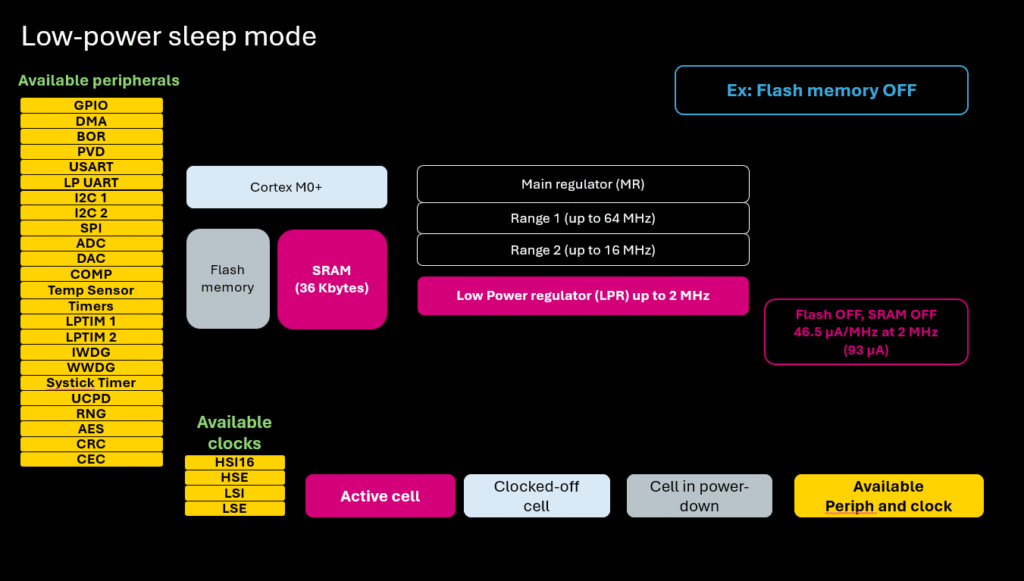
- Sleep Mode – CPU stops, peripherals continue
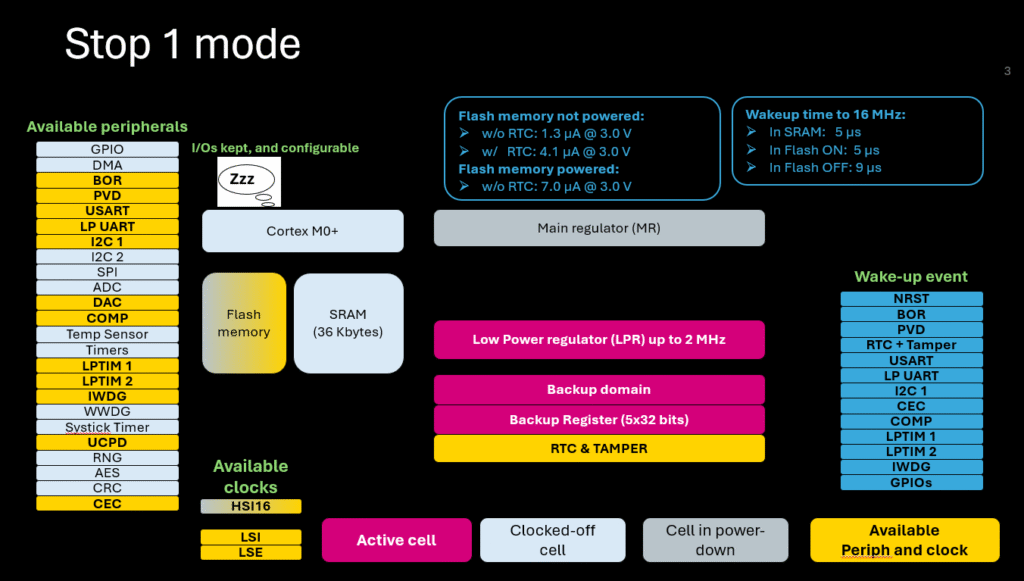
- Stop Mode – CPU and most peripherals stop, low power, fast wakeup
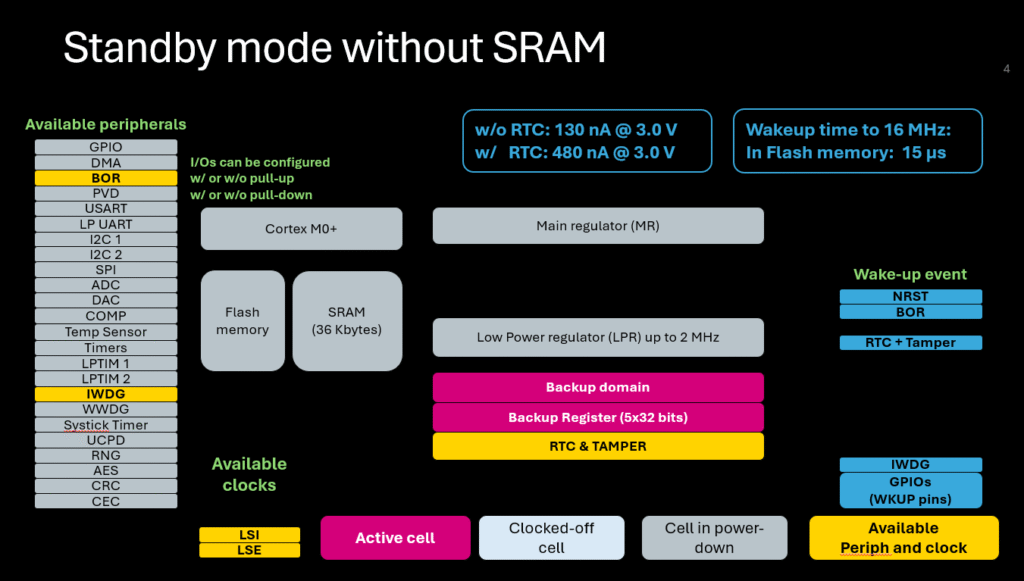
- Standby Mode – Lowest power, MCU state mostly lost, wakeup via wake up pins or RTC
By the end of this episode, you’ll be able to:
- Configure STM32 low power modes
- Switch between normal and low-power modes
- Wake up MCU using interrupts or RTC
2. Prerequisites
- STM32 board
- STM32CubeIDE installed
- Basic knowledge of HAL and interrupts
3. Sleep Mode
CPU stops but peripherals like timers, UART, or ADC keep running
Fast wake-up, minimal power reduction (~30–50%)
CubeMX Configuration
- No special configuration needed
- Enable Sleep on Exit if desired (in System Core → Power)
HAL Example
WFI (Wait For Interrupt) halts CPU until an interrupt occurs
4. Stop Mode
CPU and most peripherals stop, some clocks disabled
Power consumption drops significantly
MCU state preserved, fast wakeup possible
CubeMX Configuration
- Enable Low Power Mode for peripheral wakeup (e.g., RTC, EXTI)
- Configure wakeup sources (RTC alarm, GPIO, etc.)
HAL Example
Important: After Stop mode, MCU clocks must be reconfigured
5. Standby Mode
- Lowest power
- Most of MCU state lost
- Wakeup via external wake up pins or RTC only
HAL Example
- MCU resets upon wakeup, start from reset vector
- Preserve data using Backup SRAM or RTC registers
6. Hands-On Lab Example
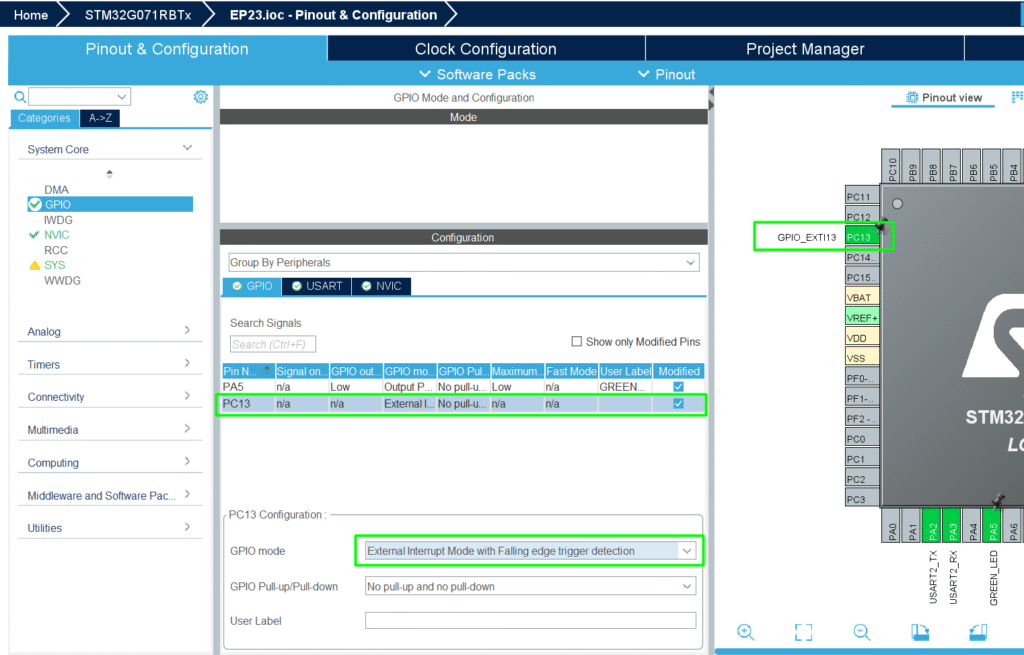
1. Create a project with a button on GPIO and LED
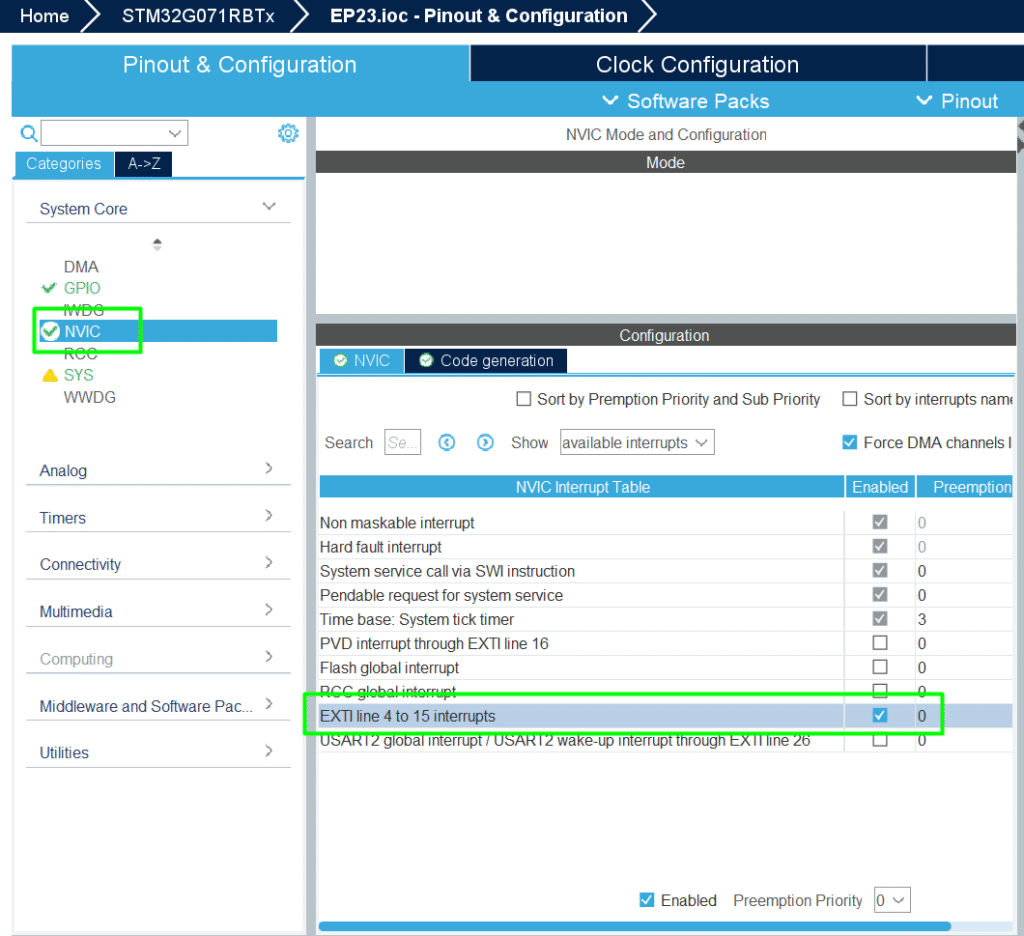
2. Configure EXTI interrupt to wake up MCU
3. Enter Stop mode when button is not pressed
4. Wake up on button press, toggle LED, re-enter Stop mode
5. Measure current with a multimeter to observe low power
Tip: Combine low power modes + RTC + DMA for energy-efficient continuous data acquisition
7. Advantages of Low Power Modes
- Extends battery life significantly
- Reduces energy footprint for IoT and portable devices
- Works with RTC and watchdogs to maintain system reliability
- Essential for long-term autonomous embedded systems