STM32 HAL Tutorial: Timer-Triggered ADC Conversion for Precise Sampling
Abstract
Learn how to trigger STM32 ADC conversions using timers for precise periodic sampling. Step-by-step HAL guide for real-time embedded systems.
1. Introduction
Timer-triggered ADC conversions allow:
- Precise sampling intervals
- CPU-free periodic acquisition with DMA
- Critical for: Audio sampling, sensor fusion, and control loops
By the end of this episode, you’ll be able to:
- Configure a timer to trigger ADC
- Collect periodic samples using DMA
- Process data without missing samples
2. Prerequisites
- STM32 board with ADC and Timers
- STM32CubeIDE installed
- Knowledge of HAL, DMA, ADC and Timers
3. Timer-Triggered ADC Concept
- Timer counts → generates update event → triggers ADC conversion
- DMA moves ADC result to memory automatically
- CPU can process data asynchronously
1. Timer Configuration (The Trigger)
Block: TIMER (e.g., TIMx)
Connection: Draw an arrow from the TIMER (Update Event) to the ADC (External Trigger Input).
2. ADC Operation (The Conversion)
Block: ADC (Analog-to-Digital Converter)
Internal Process 1 (Input): Analog Input Channel (Shows the physical pin receiving the analog voltage).
Internal Process 2 (Trigger): The Update Event is received, starting the conversion.
Action Output: End of Conversion (EOC) / Conversion Result
Connection 1: Draw an arrow from the ADC (Conversion Result) to the DMA Controller.
Connection 2 (Optional but good for clarity): Draw a line from the ADC (EOC/EOC Interrupt) to the CPU.
3. Data Transfer and Storage (The DMA)
Block: DMA Controller (Direct Memory Access)
Block: SRAM / System Memory
Connection: Draw an arrow from the DMA Controller to the SRAM / System Memory.
4. CubeMX Configuration
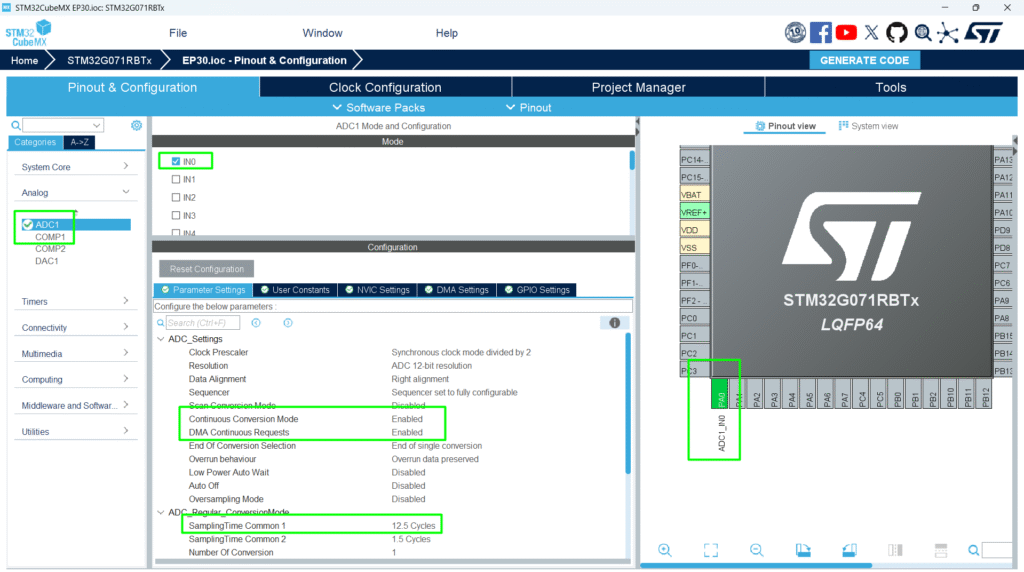
- Enable ADC
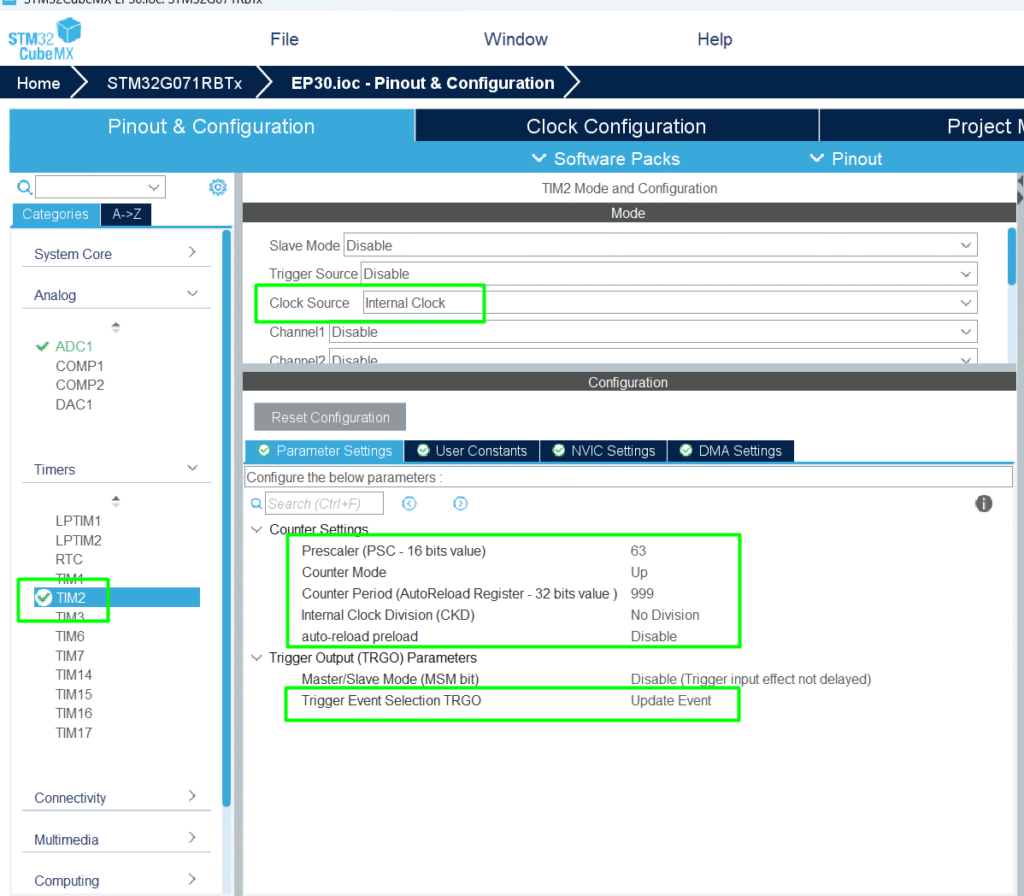
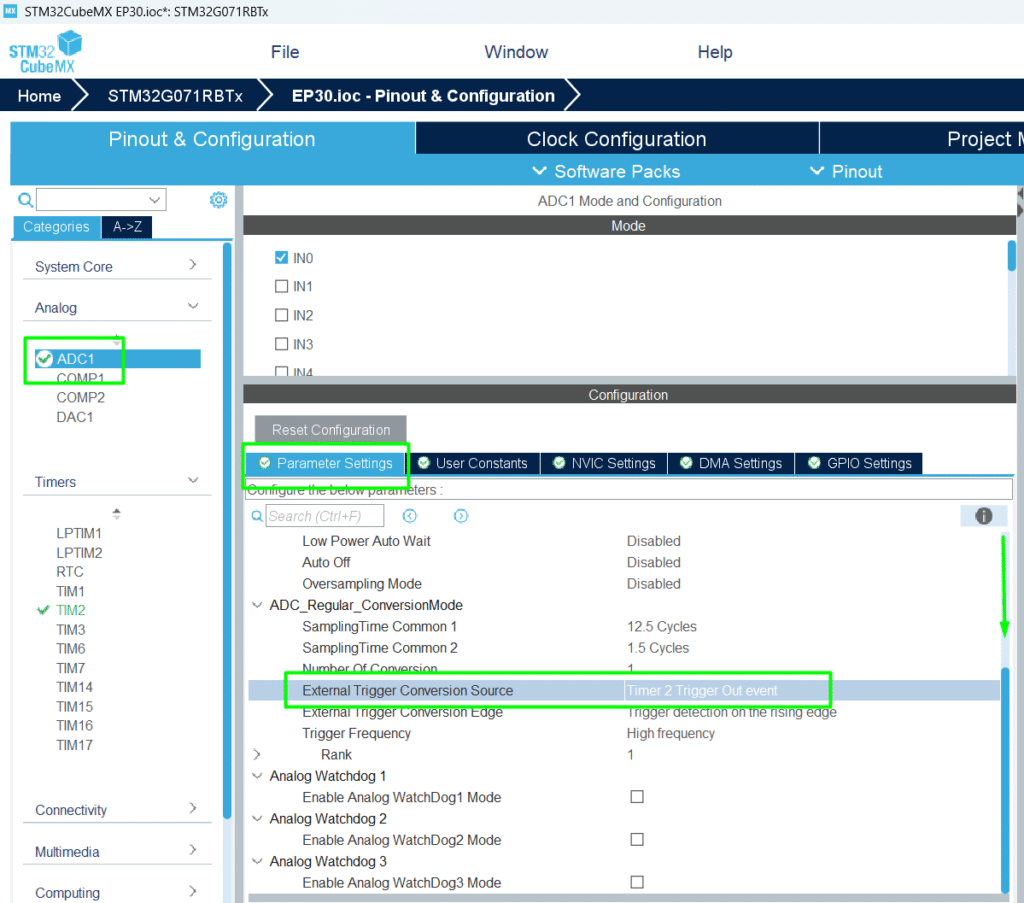
- Set External Trigger → Timer Event (e.g., TIM2 TRGO)
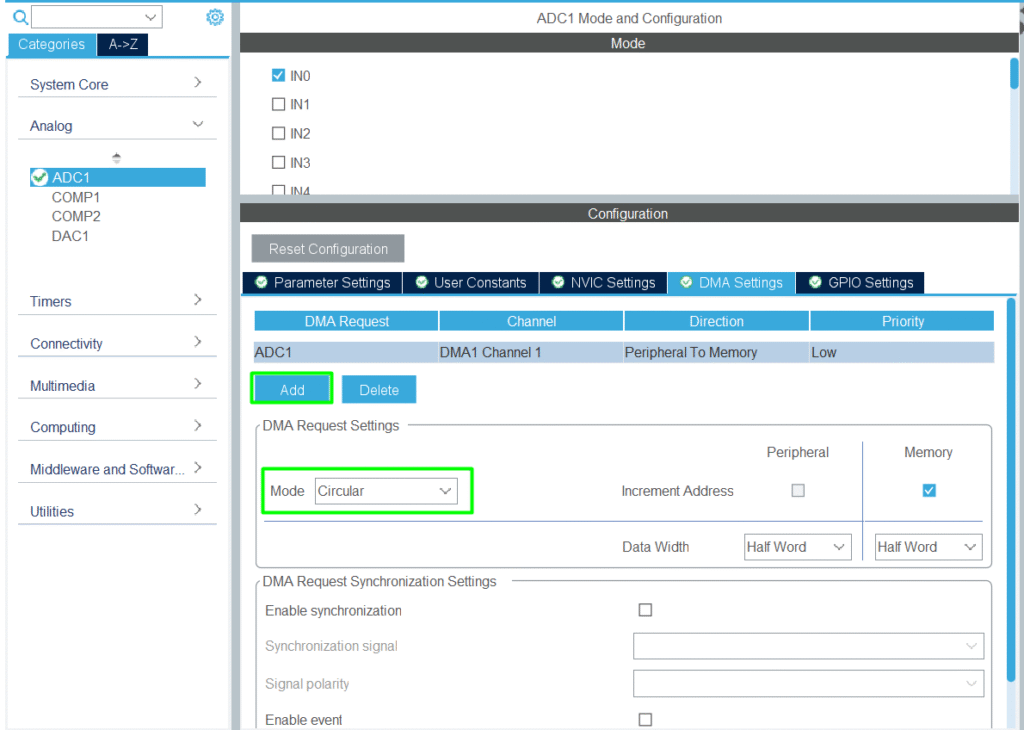
- Enable DMA for ADC
- Configure Timer frequency to match desired sampling rate
- Generate initialization code
5. HAL Example
- Timer frequency = system clock / (Prescaler + 1) / (Period + 1)
6. Hands-On Lab Example
1. Configure the analog input with DMA
2. Configure timer for 1 kHz sampling rate and enable the TRGO for the ADC
3. Go back to the ADC and enable the TIM2 as the Trigger
4. Implement the code for a constant sampling interval with no CPU intervention
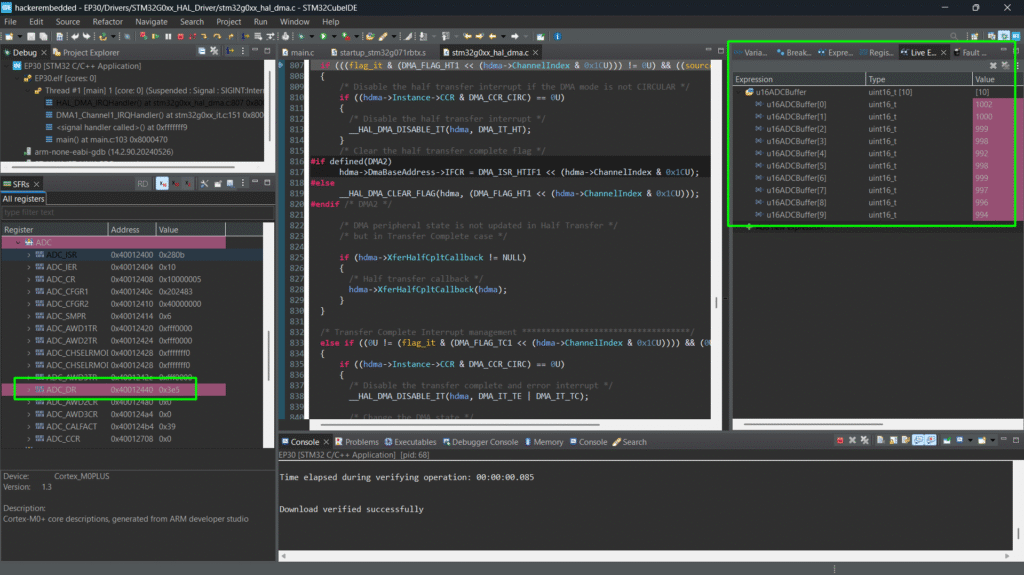
5. Check the buffer during debug session using Live Watch
Tip: Combine with DAC for output generation or closed-loop control
8. Advantages
- Accurate periodic sampling without CPU overhead
- Works with DMA and circular buffers for continuous acquisition
- Essential for sensor fusion, signal processing, and closed-loop systems